How to Download and Install the QuarkVPN Android APK
Use the official QuarkVPN Android APK to install the app, connect, and check your VPN status. The screenshots show QuarkVPN on an Android phone that had already used the app.
Download and install the official Android APK
- Open the official QuarkVPN Android APK download page on your phone and tap Download Android APK.
- When your browser finishes downloading QuarkVpnSetupForAndroid.apk, tap Open or find the file in your browser's downloads list.
- Review the app name on the Android install screen and follow the install or update prompt. Then open QuarkVPN.
If Android asks whether your browser or file manager may install apps, review Google's Android installation instructions for that setting. You can also install Speedy Quark VPN from the official Google Play listing.
Connect and disconnect on Android
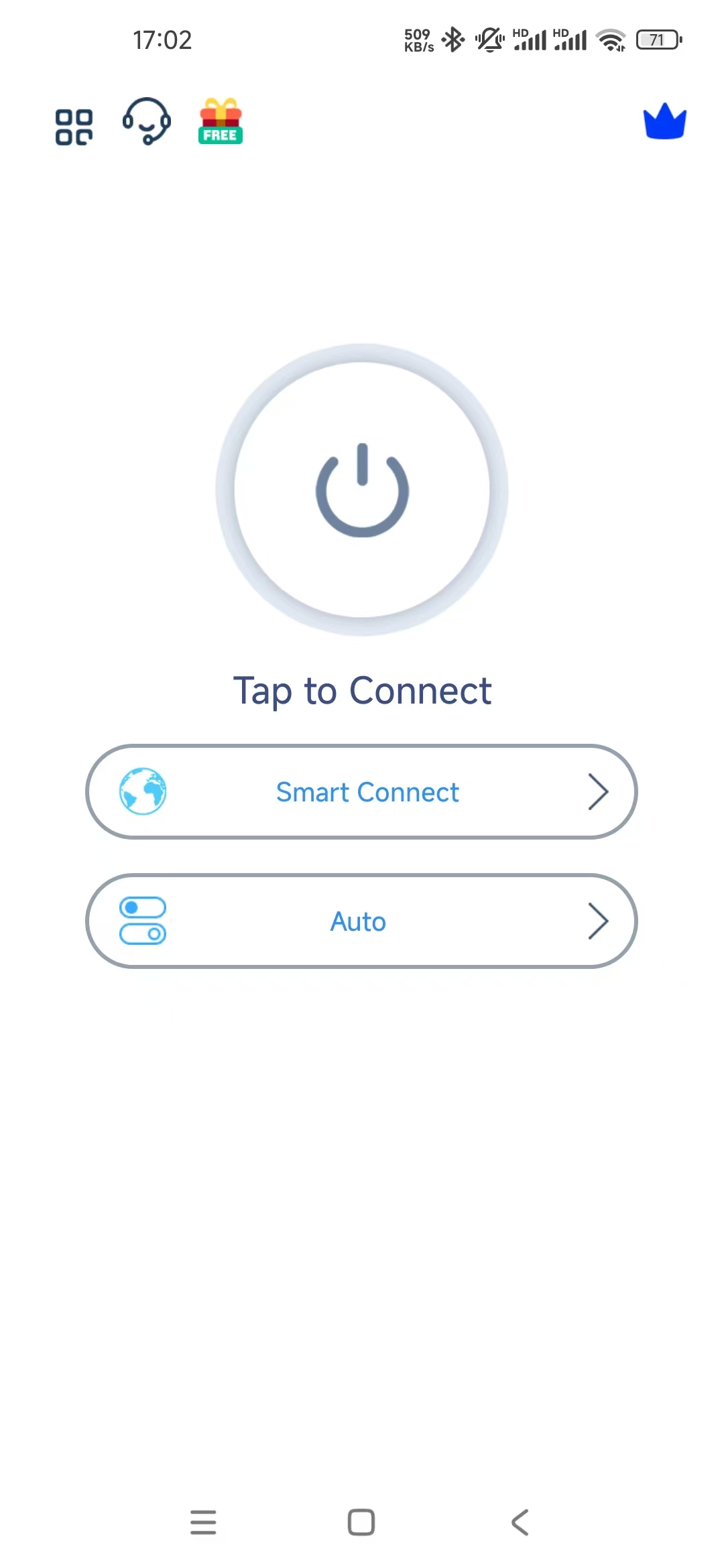
- On the QuarkVPN home screen, tap the power button above Tap to Connect. The screen in this example shows Smart Connect and Auto.
- If Android shows a VPN connection request, review it and confirm if you want to allow QuarkVPN to set up a VPN connection.
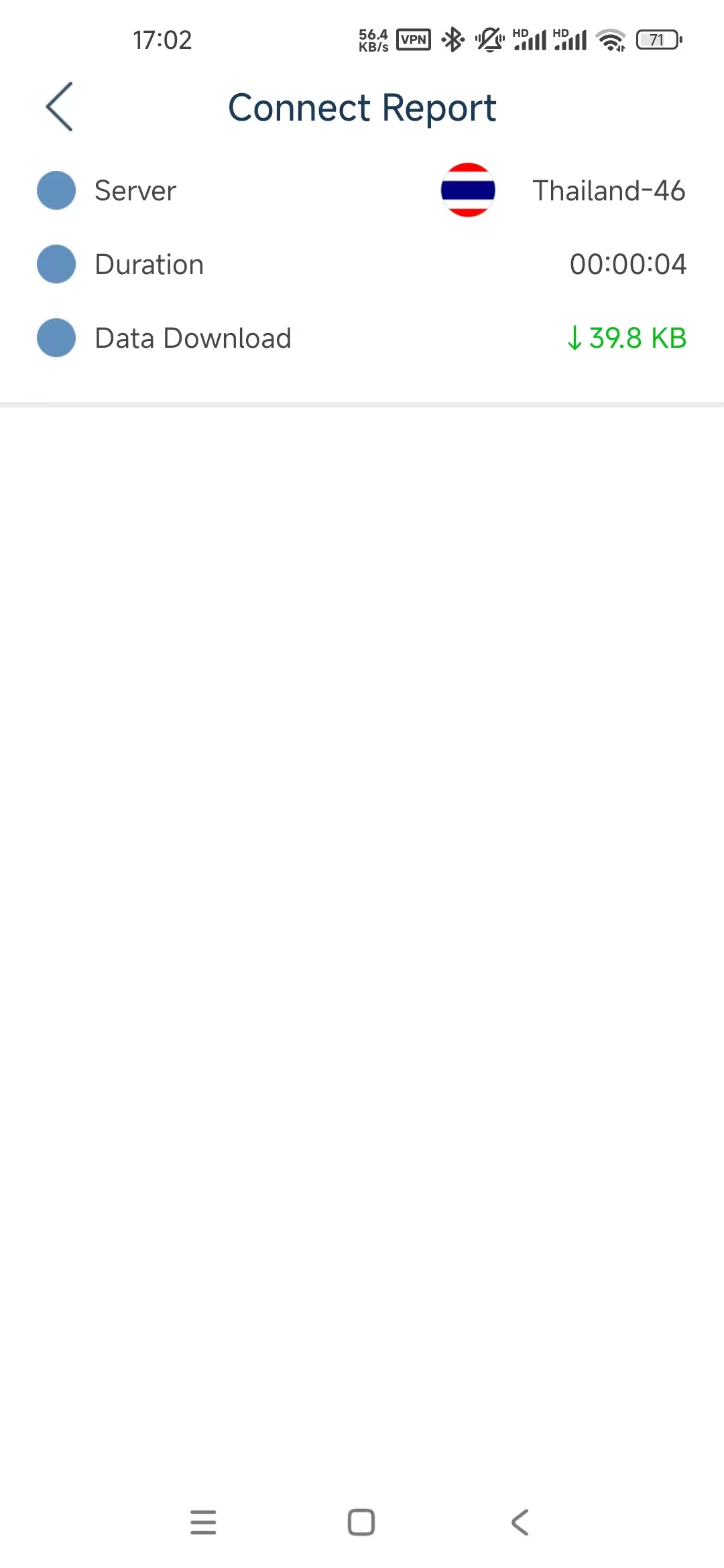
- Look for the VPN indicator in the Android status bar. The Connect Report shows the server, connection duration, and downloaded data.
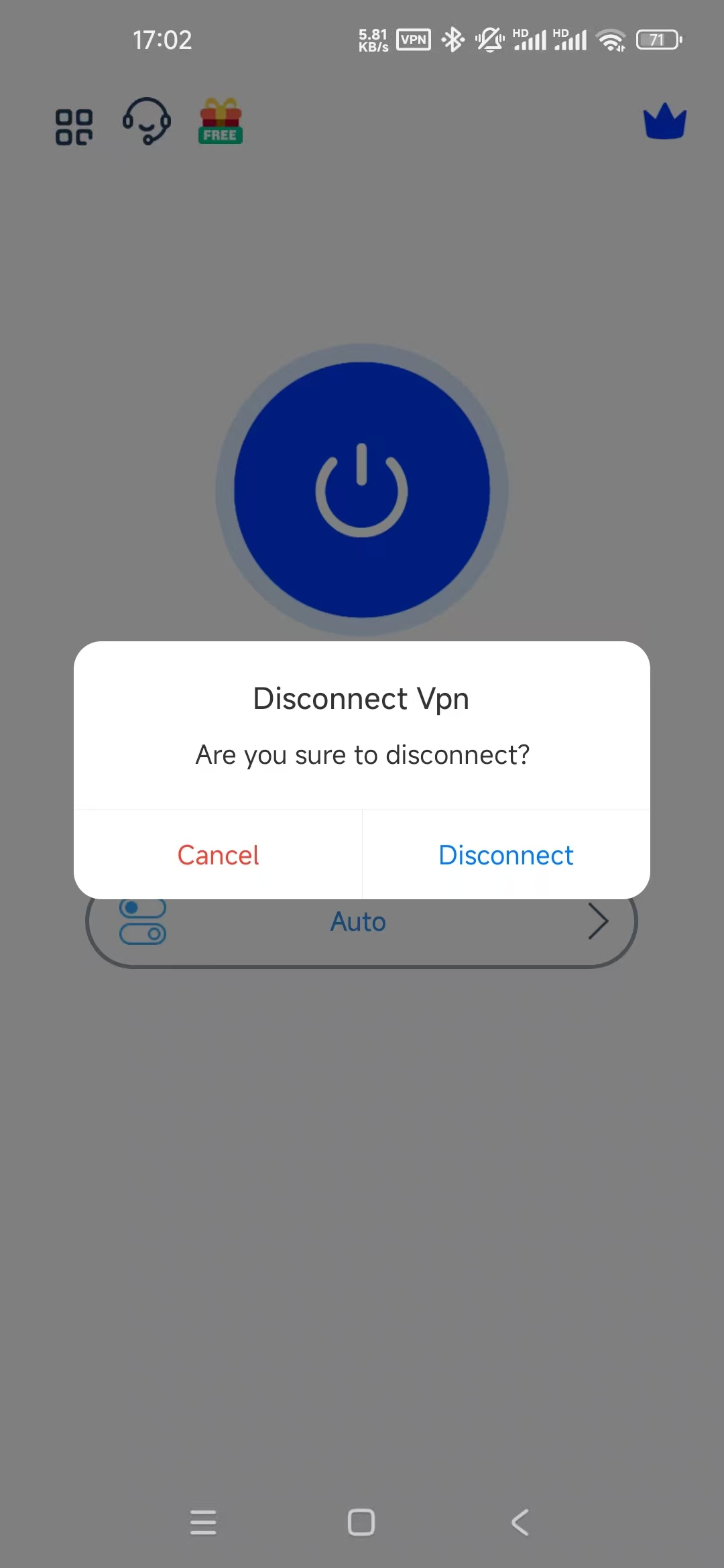
- To end the session, tap the power button again and choose Disconnect in the confirmation dialog. The home screen will show Tap to Connect again.
Common Android APK and connection questions
Why won't the QuarkVPN APK install?
Check that the download completed and that the file came from the QuarkVPN download page. If Play Protect blocks the APK, use the official Google Play listing or contact support with the exact message.
Why didn't Android ask for VPN permission?
Android may skip the request when QuarkVPN already has permission. Check the VPN indicator in the status bar to see whether the connection is active.
What if QuarkVPN won't connect?
Check that Wi-Fi or mobile data works with the VPN disconnected. If another VPN is active, disconnect it before trying QuarkVPN again.
Why is my VPN connected but the internet isn't working?
Disconnect QuarkVPN and try opening a webpage. If it still won't load, switch between Wi-Fi and mobile data to check the connection. If the page loads while the VPN is disconnected, reconnect QuarkVPN and try another available server.
QuarkVPN Android connection screens